If you're experiencing app crashes on Windows 11, it can disrupt your workflow significantly. Common causes include software conflicts, outdated applications, or issues following system updates. Fortunately, there are several straightforward fixes you can implement to restore functionality and prevent future crashes.
Why is my app crashing?
App crashes can happen for several reasons. One common issue is software conflicts, where different applications or background processes interfere with each other. Another frequent cause is outdated software; if an app hasn’t been updated to be compatible with the latest Windows 11 version, it may become unstable. Additionally, system updates can sometimes introduce bugs or incompatibilities that result in crashes.
When should I consider these fixes?
Consider these fixes if your apps start crashing after a Windows update, a new software installation, or after changing system settings. If the issue arises suddenly with no clear trigger, it's essential to troubleshoot immediately to minimize work interruptions.
Quick fixes to try immediately
Try these quick fixes to resolve app crashes:
- Restart the app. Sometimes simply closing and reopening the app can resolve temporary issues.
- Update the app. Outdated applications can lead to crashes. Check for updates in the Microsoft Store or the app's website.
- Clear the app cache. This can help if the app is storing corrupt data. ``
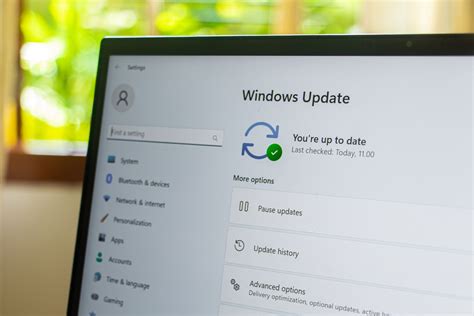
text Settings path: Settings > Apps > Apps & features > [Select the crashing app] > Advanced options > Reset`` - Check for Windows updates. Keeping your operating system updated can fix bugs that cause crashes. ``
text Settings path: Settings > Windows Update > Check for updates``
How to diagnose if the problem persists
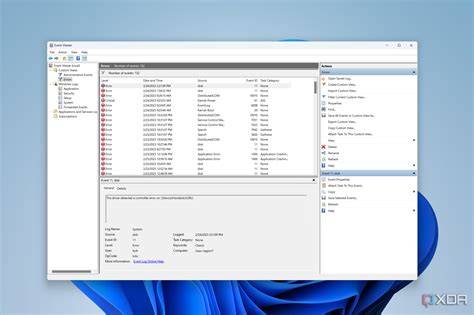
If the problem continues after trying quick fixes, it's time to dig deeper. Use the Windows Event Viewer to check for error logs that might indicate the cause of the crashes.
- Press
Windows + R, typeeventvwr, and hitEnter. - In the Event Viewer, navigate to
Windows Logs>Application. Look for errors that occurred at the same time as your app crashes. - Analyze the error description to identify potential causes. This can help you determine if it’s a specific software conflict or a system issue.
Preventing future app crashes
To reduce the likelihood of app crashes in the future, consider these tips:
- Regularly update your apps and Windows to ensure compatibility and security.
- Avoid installing unnecessary software that could conflict with essential applications.
- Perform regular system checks using built-in tools like the
System File Checkerto repair corrupted system files. - Keep your device free from malware by running regular antivirus scans.
Conclusion
If issues persist after following these steps, consider more advanced troubleshooting or reach out to support forums for additional help. Regular maintenance and keeping your system updated can also help prevent future app crashes.
Frequently Asked Questions
What should I do if my app keeps crashing after following these fixes?
If problems continue, try reinstalling the app, checking for hardware issues, or looking for system conflicts in the Event Viewer.
Can outdated drivers cause app crashes?
Yes, outdated drivers can lead to app crashes. Ensure all drivers are up to date, especially for graphics and other critical components.
Is there a way to report app crashes to Microsoft?
Yes, you can report crashes via the Feedback Hub app included in Windows 11 to help improve app performance.
How often should I update my apps?
It's a good practice to check for app updates at least once a month or whenever you notice issues.