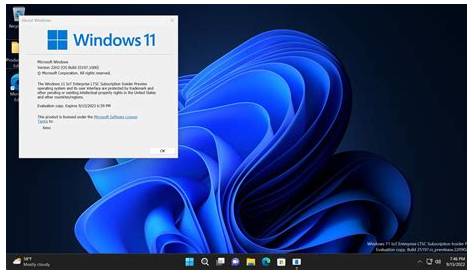
Windows 11 Enterprise is a specialized edition of Microsoft's operating system designed for larger organizations. It offers advanced security and management features that help IT departments maintain control and protect sensitive data across devices.
What is Windows 11 Enterprise?
Windows 11 Enterprise is a version of Windows 11 specifically tailored for business environments. It provides advanced management tools and enhanced security features crucial for protecting corporate data and streamlining IT operations. This edition is designed with larger organizations in mind, offering functionalities that surpass those available in standard consumer editions.
Key Features of Windows 11 Enterprise
Windows 11 Enterprise includes several unique features that cater to business needs.
Advanced Security Options
- BitLocker: This encryption tool secures data by encrypting the entire drive, ensuring sensitive information remains protected if devices are lost or stolen.
- Windows Defender Credential Guard: This feature uses virtualization-based security to protect credentials from unauthorized access.
Management Tools
- Microsoft Endpoint Manager: This platform allows IT administrators to manage devices and applications efficiently, simplifying the deployment and management of Windows environments.
- Group Policy Management: This edition supports advanced group policies, enabling granular control over user and device settings, essential for compliance and security.
Benefits for Businesses Using Windows 11 Enterprise
The features of Windows 11 Enterprise provide tangible benefits for organizations.
Enhanced Security
By utilizing tools like BitLocker and Credential Guard, businesses can significantly lower the risk of data breaches. For example, if an employee works remotely and their laptop is lost, these features ensure that sensitive data remains secure.
Improved Productivity
Management tools like Microsoft Endpoint Manager empower IT departments to deploy updates and applications more efficiently, minimizing downtime. Imagine being able to push updates to all devices overnight; employees can start their day with the latest security patches and software without interruption.
Comparing Windows 11 Enterprise to Other Versions
When comparing Windows 11 Enterprise to other editions, such as Professional and Home, several key differences emerge.
| Feature | Windows 11 Home | Windows 11 Pro | Windows 11 Enterprise |
|---|---|---|---|
| BitLocker | No | Yes | Yes |
| Group Policy Management | No | Yes | Yes |
| Microsoft Endpoint Manager | No | No | Yes |
| Windows Defender Credential Guard | No | No | Yes |
While Windows 11 Home is suitable for general consumers, and Pro adds some business capabilities, Enterprise includes the comprehensive security and management features necessary for larger organizations.
Is Windows 11 Enterprise Right for Your Organization?
Determining if Windows 11 Enterprise is suitable for your organization depends on several factors.
Size of the Organization
If your company manages a significant number of devices, the streamlined management tools in Enterprise can save time and resources.
Industry Needs
Certain industries, especially those handling sensitive data such as finance or healthcare, may greatly benefit from the enhanced security features.
Security Requirements
If your organization has stringent compliance requirements, Windows 11 Enterprise provides the necessary tools to help meet those standards.
Conclusion
If your organization seeks to enhance security, improve device management, and ensure compliance, Windows 11 Enterprise could be a strong fit. Assessing your specific needs and considering the size of your IT infrastructure will help you make an informed decision about upgrading to this edition.