If you're a small business owner considering an upgrade to Windows 11, choosing between Windows 11 Home and Pro can significantly impact your productivity. Windows 11 Pro offers advanced security and management features that can enhance your business operations, while Windows 11 Home is suitable for basic personal use. Understanding the differences between these versions will help you make an informed decision for your needs.
What are the main differences between Windows 11 Home and Pro?
The main differences between Windows 11 Home and Pro can be categorized into features related to security, management, and virtualization.
| Feature | Windows 11 Home | Windows 11 Pro |
|---|---|---|
| BitLocker encryption | No | Yes |
| Group Policy Management | No | Yes |
| Remote Desktop | No | Yes |
| Assigned Access | No | Yes |
| Windows Sandbox | No | Yes |
| Hyper-V support | No | Yes |
Windows 11 Pro includes BitLocker, which provides full disk encryption to protect sensitive data. Additionally, Pro gives you access to Group Policy Management, enabling centralized control over user settings and configurations. Remote Desktop allows you to connect to your PC from another device, making it useful for remote work. Features like Assigned Access and Windows Sandbox enhance usability for businesses needing focused or secure environments. Hyper-V support enables virtualization for running different operating systems in a safe environment.
Who should choose Windows 11 Home?
Windows 11 Home is ideal for home users, casual gamers, and individuals who primarily use their devices for everyday tasks. If your daily activities include web browsing, streaming, or using standard applications like Microsoft Office, the Home version has everything you need.
For example, if you're a family using the computer for schoolwork, entertainment, and basic productivity, Home is sufficient. It offers a user-friendly interface and includes features like the new Start Menu and Snap layouts, which improve navigation and multitasking.
Who should choose Windows 11 Pro?
Windows 11 Pro is the better choice for professionals and small business owners who require advanced security and management features. If you handle sensitive data, manage multiple devices, or rely on virtualization for software testing, Pro is more aligned with your needs.
For instance, if you run a small design firm and frequently collaborate remotely with clients and team members, the ability to use Remote Desktop and BitLocker for data encryption can significantly enhance your workflow and security. Furthermore, Group Policy Management allows you to enforce specific settings across your team’s devices.
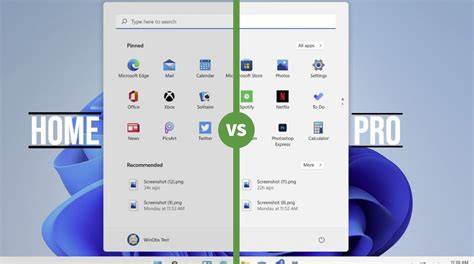
Cost comparison of Windows 11 Home vs Pro
When considering cost, Windows 11 Home typically retails for around $139, while Windows 11 Pro is priced at about $199. Although the initial investment for Pro is higher, it may offer long-term value through enhanced security and management capabilities that save time and reduce potential data breach costs.
Consider the total cost of ownership: if your business relies on data security and device management, the additional $60 for Pro may be worthwhile in preventing loss and downtime. Evaluate how much you value these extra features in relation to your business needs.
Common misconceptions about Windows 11 versions
A common misconception is that Windows 11 Home lacks essential security features. While it doesn't include BitLocker, it still offers Windows Defender, a solid antivirus solution, and firewall protection.
Another myth is that Home is unsuitable for work. In reality, many users run professional applications successfully on Windows 11 Home, but Pro is indeed better for businesses that need sophisticated features. Some believe that Pro is only for large enterprises, but small businesses also benefit significantly from its advanced tools.
Conclusion
Choosing between Windows 11 Home and Pro depends largely on your specific needs and how you plan to use the system. For small businesses focused on security and management, Windows 11 Pro is likely the better investment. In contrast, for casual home use, Windows 11 Home will suffice.
Frequently Asked Questions
Can I upgrade from Windows 11 Home to Pro later?
Yes, you can upgrade from Windows 11 Home to Pro through the Microsoft Store by purchasing a Pro upgrade.
Is Windows 11 Pro worth the extra cost for small businesses?
If your business handles sensitive information or requires device management, the features in Windows 11 Pro can provide significant value.
Will I miss out on any features with Windows 11 Home?
You may miss out on advanced features like BitLocker and Remote Desktop, which are beneficial for security and remote access.
Are there any performance differences between the two versions?
No, both versions run on the same underlying architecture, so performance is generally similar unless specific features are being utilized.