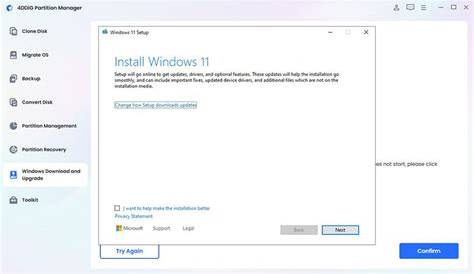
If you're setting up Windows 11 and need to activate it, you'll require a product key. This key is essential for verifying the authenticity of your software. Fortunately, you can find it in several places and entering it correctly will ensure your system runs smoothly.
Where to Find Your Windows 11 Product Key
You can locate your Windows 11 product key in several places:
- Microsoft Account: If you purchased Windows 11 online, check your Microsoft account under the 'Services & subscriptions' section.
- Physical Packaging: If you bought a physical copy, look for a label on the box or inside the documentation that contains the product key.
- Digital Purchase Confirmation: If you bought Windows 11 digitally, the confirmation email from Microsoft typically contains the product key.
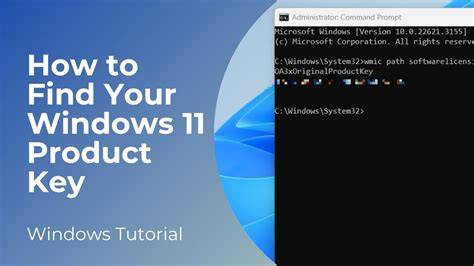
- Existing Windows Installation: If you upgraded from Windows 10, your product key might still be tied to your device. You can retrieve it by using command prompt commands.
How to Enter Your Product Key During Installation
During the installation of Windows 11, you'll be prompted to enter your product key. Follow these steps:
- Start the Windows 11 installation process.
- When asked for a product key, type in your 25-character key. ``
text XXXXX-XXXXX-XXXXX-XXXXX-XXXXX`` - Click 'Next' to proceed with the installation.
If you entered the key correctly, the installation will continue without issues.
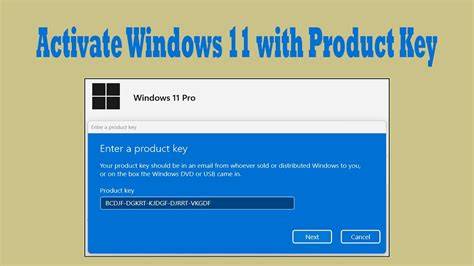
How to Activate Windows 11 After Installation
If you missed entering the product key during installation, you can still activate Windows 11 afterward. Here’s how:
- Click on the Start menu and select Settings.
- Go to Update & Security.
- Click on Activation.
- Select Change product key.
- Enter your 25-character product key. ``
text XXXXX-XXXXX-XXXXX-XXXXX-XXXXX`` - Click 'Next' and follow the prompts to complete the activation.
If successful, you’ll see a message confirming that Windows is activated.
What If You Can't Find Your Product Key?
If you can't find your product key, there are several options:
- Digital License: If your Windows 11 was linked to your Microsoft account, you might not need a product key for activation. Simply log in to your Microsoft account on the device.
- Contact Microsoft Support: If you're unable to retrieve your key and need assistance, contacting Microsoft Support can help resolve activation issues.
Common Issues with Product Key Activation
Some common problems you may encounter include:
- Invalid Key Error: Double-check that you entered the product key correctly. Ensure there are no extra spaces or incorrect characters.
- Key Already Used: If the key has been used on another device, you may need to deactivate it on that device first.
- Internet Connection Issues: Ensure your device is connected to the internet during activation.
Conclusion
Once you have successfully activated Windows 11, you can start using all its features without limitations. If you encounter any issues, don't hesitate to reach out to Microsoft support for assistance.
Frequently Asked Questions
What if my product key doesn't work?
Ensure you entered it correctly and check if it's been used on another device. If problems persist, contact Microsoft support.
Can I use a Windows 10 product key for Windows 11?
Yes, in most cases, a valid Windows 10 product key will work for activating Windows 11.
Where can I find my product key if I lost my email confirmation?
If you have a digital license, try logging into your Microsoft account. Otherwise, check any physical packaging or documentation you might have.
Is there a way to retrieve my product key from my current system?
Yes, you can use command prompt commands to retrieve the product key from your existing Windows installation.